We took a retired Siemens A36 cellphone to learn the capabilities of this new Siglent scope. Available documentation and medium-density PCB of the selected A36 made the signal probing easy to implement. We used TEK P6243 active probes initially for their low capacity loading but changed to passive probes later as monitored signals proved to be quite robust.
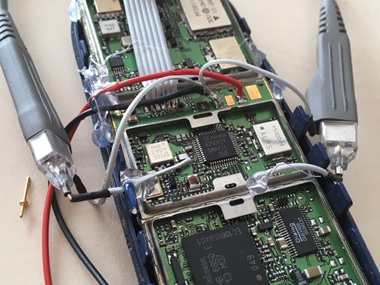 Figure 1: probing IQ signals in Tx and Rx path of the Siemens A36
Three signals were selected to monitor the cellphone operation:
- Transmit IQ baseband modulation signal, Q component, on Pin 48 on scope Channel 1
- Receive IQ baseband modulation signal, I component, on Pin 12 on scope Channel 2
- Battery current consumption from 0.1 Ohm resistor, between (-) power supply and phone ground on scope Channel 4 (resulting in negative signal polarity)
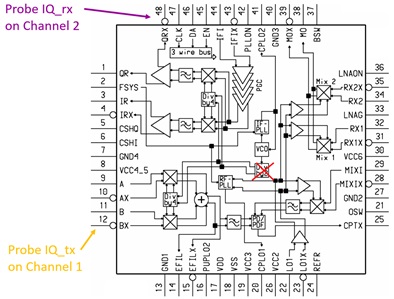
Figure 2: block diagram of PMB6250 Smarti IC with probe inputs
At first we observed the phone attached to the GSM network, periodically listening for an eventual incoming call on paging channel once per second. Once every 33 seconds, the phone is additionally checking the signal level of other base stations to request the network to camp on the stronger base station in the case when the phone is moving.
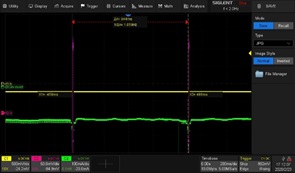
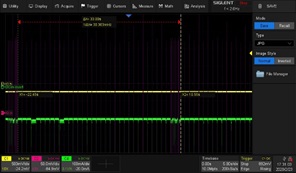
Figure 3: Rx signals for paging (left) and neighbour cell measurements (right)
Current peaks of 30 mA at the end of Rx signal burst indicate the processing power needed for decoding of the received signal. Neighbour channel measurement need only a part of the burst, allowing for frequency switching (PLL re-tuning) between the 3 bursts. We can see how noisy the other base stations are, and that the first burst of the serving base station has the least noise of all.
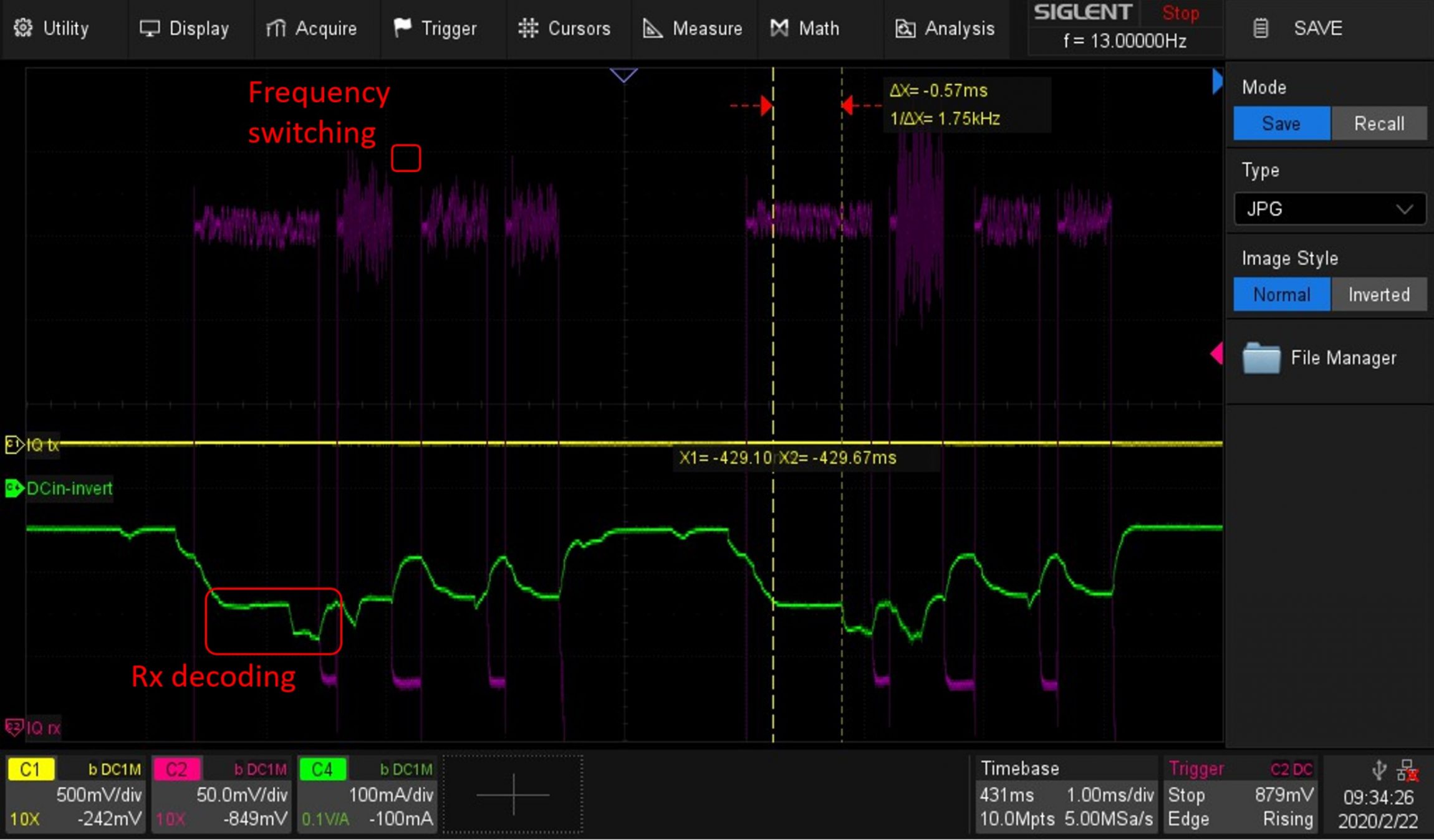
Figure 4: Rx signal detail and processing power (power consumption)
Using the scope persistence and colour histogram, we can visualise the received signal. We also used the scope Zone Trigger function (area 1) to distinguish between the longer data and shorter paging channels. We see the signal reception is longer than the data burst length of 570 µs. This allows for the demodulation of signals that may be dealing with multipath propagation. In a mountainous region, for example, base station signals can reach the phone on the direct fast track but may also propagate along a path with multiple reflections. Up to +-3 symbols delay can be processed by the A36 channel equaliser.
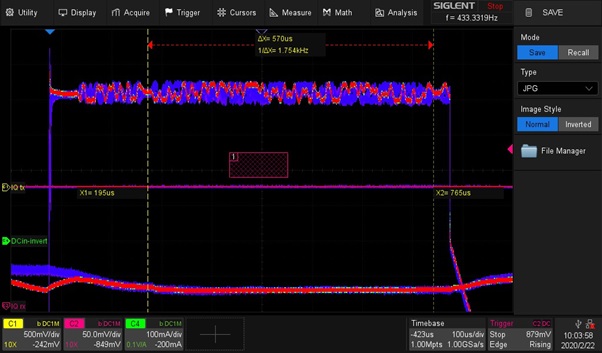
Figure 5: Histogram of Rx signal with 1 sec persistence
Then we set up a call between the phone and the network. For the first time, we can see the phone transmitter operation (yellow Channel 1). As the phone receives an incoming call from the paging channel it changes from idle to the call state after the user picks up the call of the ringing phone.
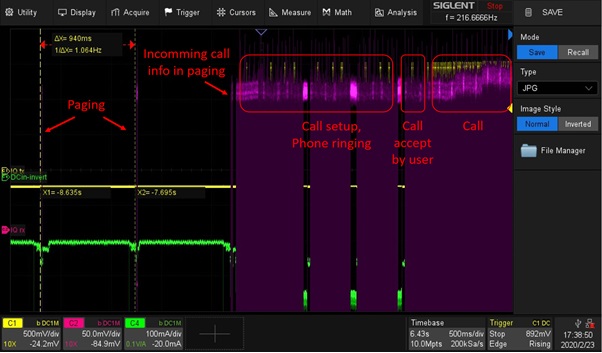
Figure 6: Incoming call setup flow
Parallel to the call, the phone still performs neighbour cell measurements for the case it finds a stronger base station that can handover the call.
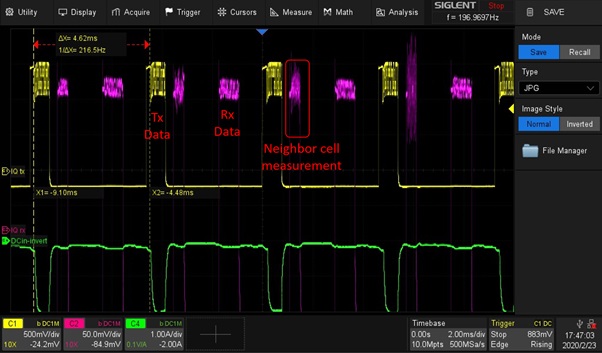
Figure 7: Call Tx and Rx bursts
On the transmit burst we can observe the permanently changing data bits carrying the speech signal. The static non-changing bits are the Tail Bits at the beginning and the end of the burst. Most important is the Training Sequence in the middle of the burst. The channel equaliser of the receiver is training its best adjustments on this training sequence and use this adjustment for the whole burst. The training sequence is in the middle of the burst, while the propagation conditions are changing as the phone is moving and the position in the middle of the burst is best for the whole burst. 1-second persistence, colour histogram and zone trigger features of the scope are used to visualise this dynamic situation.
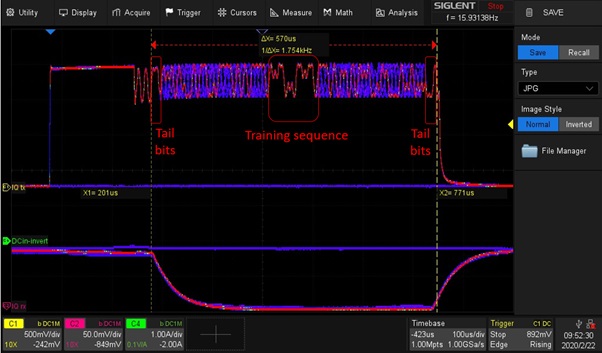
Figure 8: Histogram of Tx signal with 1-sec persistence
Peak current of almost 2 A at 4 V DCin covers the demand of the Tx power amplifier. During the reception of a call, the peak current is 100 mA. There is no measurable power consumption between the Rx paging reception, the implemented Eco-Mode only powers the 32 kHz clock inside the phone to wake-up the phone for the next paging. That’s why the battery charge can last for many days if no calls performed.
Large memory depth of the scope was very helpful to zoom-in into the captured data. Various trigger options helped to get a stable trigger for fast-changing signals.
We were extremely surprised by the good performance and rich features of the new Siglent SDS2000x Plus oscilloscope. The performance of this mid-class entry model is on the level of high-end units back in the time when one of the authors designed the A36 phone. We recommend this scope to all interested readers and look forward to checking LTE and 5G phones with this scope in our next projects.
Products Mentioned In This Article:
- SDS2000X Plus series please see HERE
Title Tag (70): The Siglent blog
Description Tag (200): Everything you want to know about Siglent.

 20th August 2021